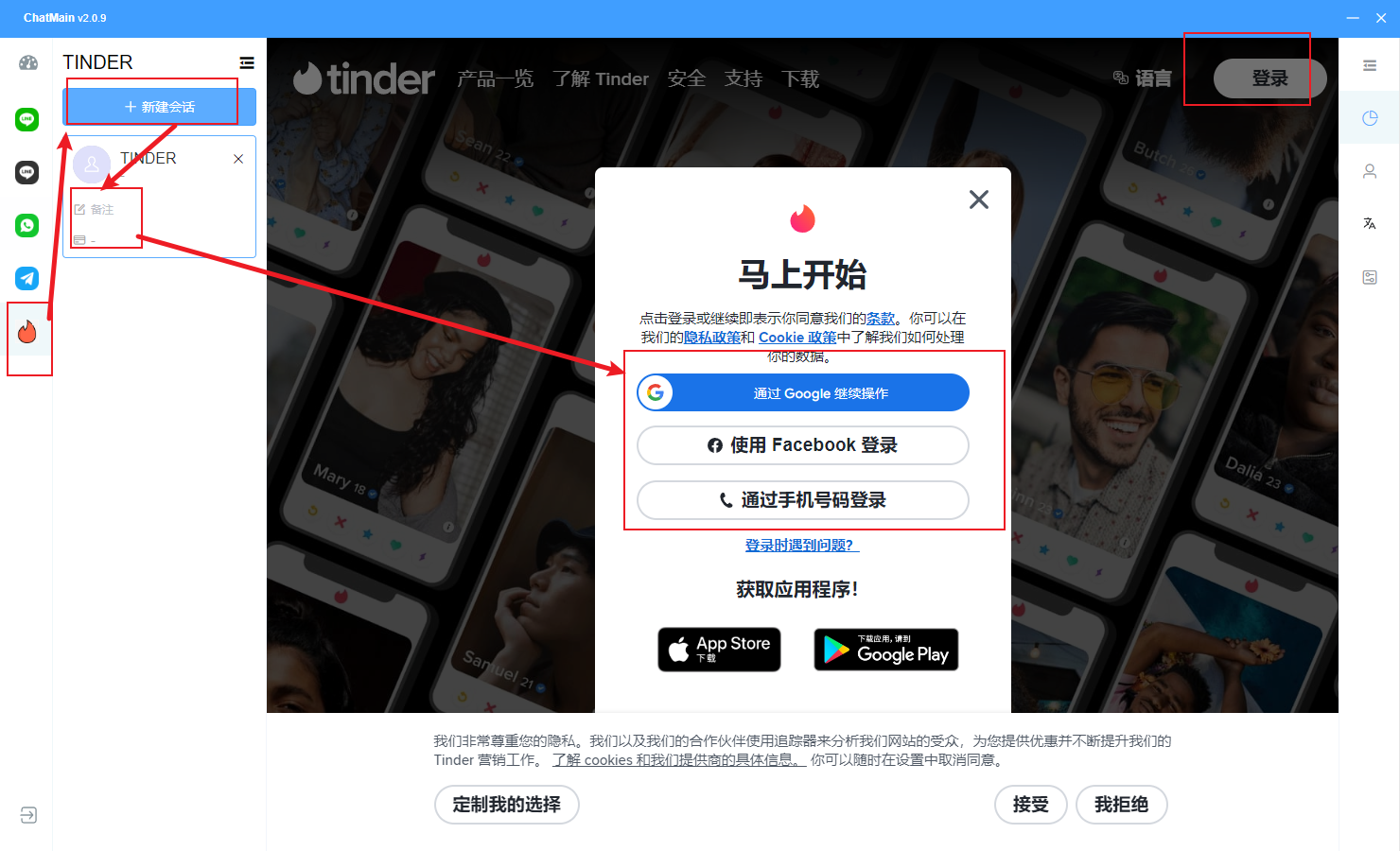
1. Download and install the aggregation client with Tinder.
The client version must be 2.0.9 or above to support running multiple Tinder instances.
Client download link: https://www.chatmain.com/v1/download/desktop
2. Register and log in to the backend to obtain the activation code
After downloading the client, you need to log in using an activation code. To obtain the activation code, log in to the user backend at https://user.chatmain.com/admin/
After logging in, click "Activation Code" in the left menu to see the activation code list, then click "Generate Activation Code" to view the generated code, as shown below:
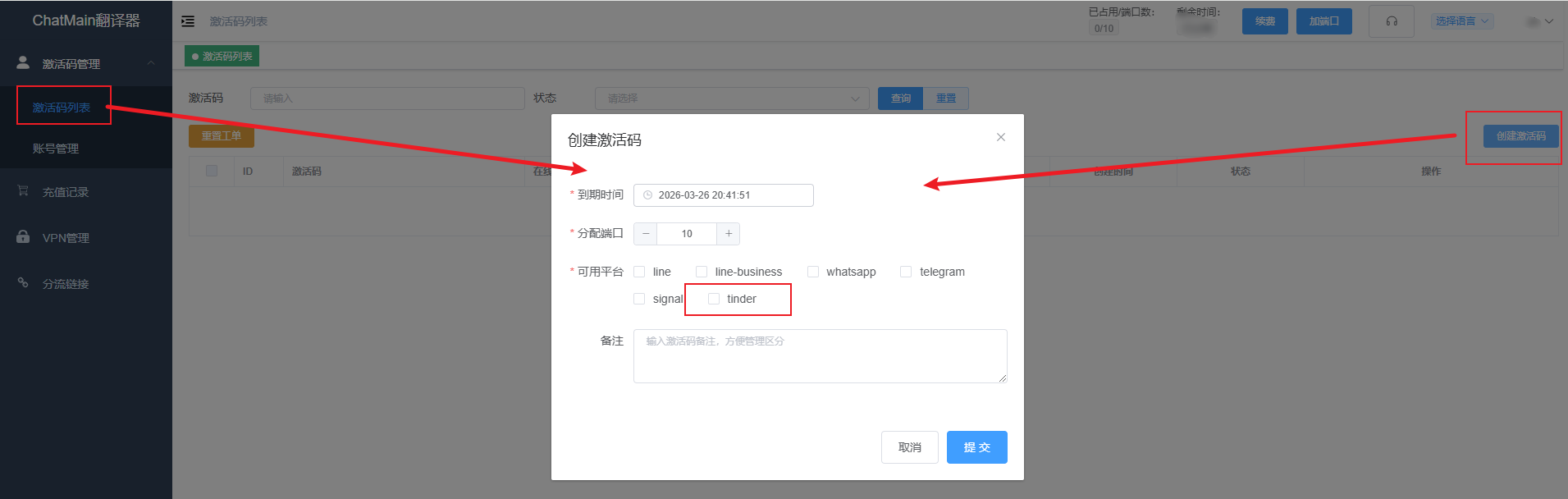
For more tutorials on using the activation code, please refer to the Activation Code Tutorial
3. Copy the activation code into the client to log in
In the client downloaded in the first step, simply enter the activation code you just obtained to log in.
4. Click "Tinder" in the left menu of the client
Click the Tinder icon button, then create a new session to start a multi-instance Tinder session. Here you can log in with a social account. After a successful login, you will see your own information and can use Tinder to chat.